Raise3D Pro3 Plus HS and E2CF Gantry Calibration Tips

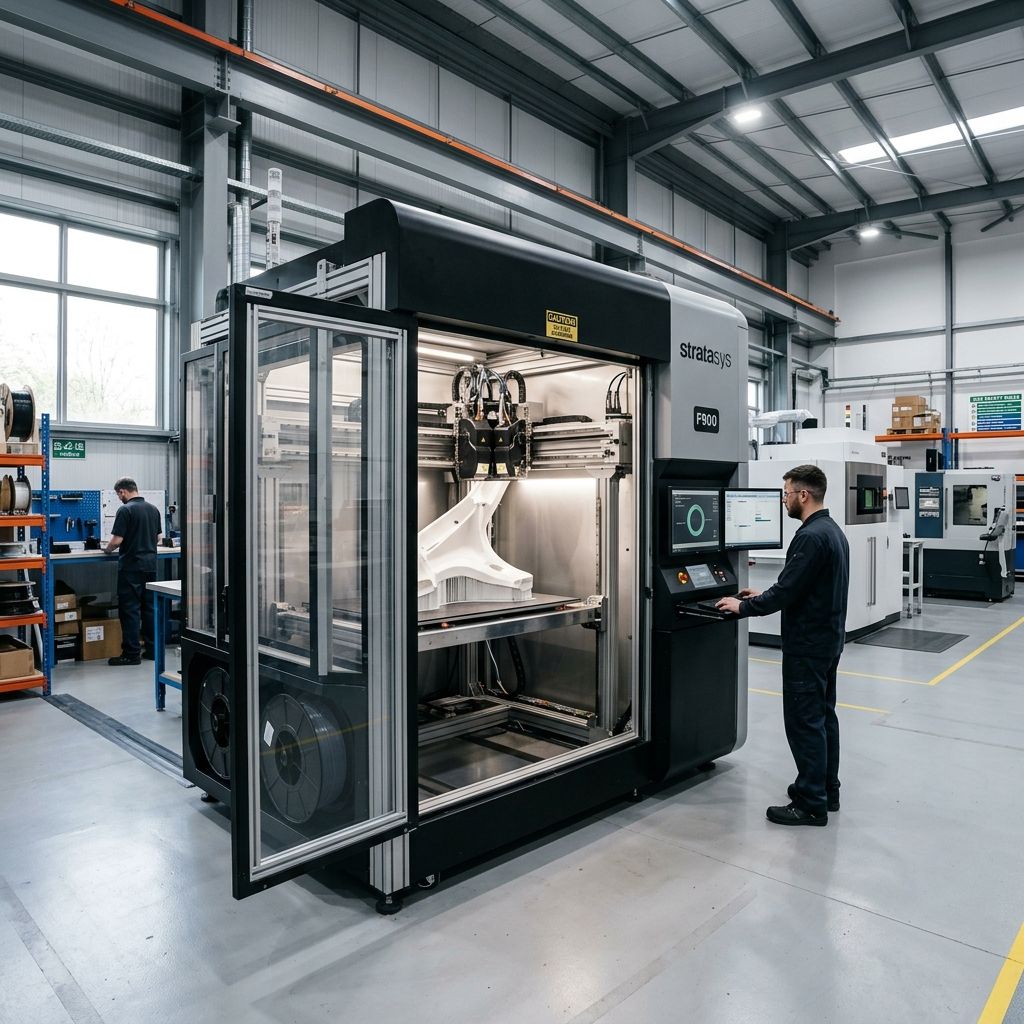
Raise3D Pro3 Plus HS & E2CF: Field Diagnostics and Gantry Calibrations
An unfiltered engineering teardown of structural alignment drift, abrasive feed failures, and high-acceleration resonances in production environments.
Field Highlights & Volumetric Limits
Sustained production on the Raise3D Pro3 Plus HS and E2CF requires managing high-mass gantry inertia and abrasive wear. Before running high-speed tooling paths or processing carbon-filled filaments, cross-reference your volumetric limits. Use our Flow Rate Calculator to verify if your hotends can keep pace with the high-speed extruder upgrades without skipping gears.
The Physical Realities of the Raise3D Dual-Extrusion Architecture
If you purchase a Raise3D Pro3 Plus HS or E2CF expecting plug-and-play operation under a continuous three-shift production schedule, you will soon face unexpected maintenance needs. These machines are heavy, fully enclosed, and capable of outstanding output but only if you understand their physical limits. The Pro3 Plus HS carries a massive dual-nozzle print head on a cross-gantry system, while the E2CF relies on an independent dual extruder (IDEX) setup specifically tuned for abrasive engineering polymers.
Out in the field, thermal expansion, continuous mechanical vibrations, and highly abrasive carbon fiber filaments create specific wear points that standard operating manuals do not cover. When parts start failing at 3:00 AM, you do not need marketing promises; you need to understand the mechanical tolerances, the physics of failure, and the exact tools required to restore your dimensions.
Failure 1: IDEX and Dual-Head Spatial Alignment Drift
Dual-extrusion systems require precise spatial alignment between both nozzles down to the micron level. On the Pro3 Plus HS, the physical offset between Extruder Left and Extruder Right drifts over extended build cycles due to structural thermal expansion and vibration. On the E2CF, which runs two independent carriages on a single X-axis rail, the problem is compounded by carriage-stop wear and belt tension variations.
The primary driver of this drift is the thermal expansion of the aluminum gantry. When printing high-temperature polymers like PA12-CF or high-temp ABS, the internal chamber temperature of the Pro3 Plus HS can soak up to 60°C, while the E2CF chamber reaches similar elevated states under passive radiant heating from the bed.
The Physics of Gantry Thermal Expansion
To understand why your dual-material boundaries keep delaminating or overlapping, you must calculate the linear thermal expansion of the aluminum cross-gantry. Let us look at the standard equation for linear thermal expansion:
ΔL = α × Lμ × ΔT
Where:
- α (Coefficient of Linear Thermal Expansion): For 6061-T6 Aluminum, this is approximately 23 × 10-6 K-1.
- Lμ (Initial Gantry Length): On the Pro3 Plus HS, the unsupported span of the X-axis rail is roughly 500 mm.
- ΔT (Temperature Change): The temperature difference between a cold startup workshop (20°C) and a fully heat-soaked internal chamber (55°C), resulting in a ΔT of 35 K.
Calculating the expansion:
ΔL = (23 × 10-6) × 500 × 35 = 0.4025 mm
A structural shift of over 0.4 mm across the X-axis completely invalidates your electronic offset calibrations. If you calibrate your XY offsets when the machine is cold, then run a 48-hour print that slowly heats the chamber, the physical distance between your dual nozzles will drift by a distance wider than a standard 0.4 mm nozzle orifice. This results in severe boundary shearing, voids, or mechanical collisions between the inactive nozzle and the printed part.
Pro-Tip: Chamber Pre-Heat Protocol
Never run a dual-extruder calibration on a cold Raise3D machine. Always preheat the build plate to your target temperature (e.g., 100°C for ABS/PA) and run the chamber circulation fans for at least 45 minutes to achieve thermal equilibrium before calibrating or printing.
Additionally, the optical endstops on these machines can collect fine outgassing residue from filaments like nylon and ABS. This residue scatters the infrared beam, leading to homing variations of up to 0.15 mm between print jobs. If your first layer height varies from print to print, clean these optical sensors with a dry microfiber swab.
Failure 2: Extruder Drive-Gear Wear and Filament Slippage
The E2CF is built specifically for carbon-fiber-reinforced filaments, utilizing dual direct-drive extruders with hardened drive gears. The Pro3 Plus HS, when upgraded with the Hyper FFF kit, runs at high volumetric flow rates that place high loads on the filament drive gears. In both machines, the primary point of failure is drive-gear tooth packing and mechanical tooth rounding.
Carbon fiber filaments like PA12-CF consist of short carbon fibers embedded in a polyamide matrix. These fibers are highly abrasive. Even hardened steel gears wear down over time, turning sharp teeth into rounded nubs. As the teeth round, their grip on the filament decreases, resulting in slippage, under-extrusion, and eventual air-printing.
- Expected Lifespan of Hardened E2CF Gears: 300 to 500 hours of continuous CF printing.
- Extruder Spring Tension Spec: 4.5 turns from fully loose (adjust based on filament hardness).
- Maximum Volumetric Speed (Pro3 HS standard): 15 mm³/s with standard 0.4mm nozzle.
- Maximum Volumetric Speed (Pro3 HS Hyper FFF): 32 mm³/s with Hyper FFF filament and matching hotend.
Another issue is filament debris. The aggressive bite of the dual-drive gears scrapes the outer shell of softer filaments, producing fine plastic dust. This dust accumulates in the valleys of the gear teeth, filling the gaps until the gears can no longer bite into the filament. If you slice your parts using aggressive retraction settings, you can check this by reviewing the retraction profiles in your slicer. If you run into issues on other platforms, like layer shifts during rapid retractions, you can compare these settings to other systems as seen in our guide on Fixing Layer Shift in Simplify3D: Acceleration Settings.
Failure 3: High-Speed Gantry Resonance and Belt Tension Decay
The Pro3 Plus HS (High Speed) utilizes high-acceleration motion profiles to reduce print times. Moving a heavy dual-extruder print head at speeds up to 300 mm/s and accelerations up to 10,000 mm/s² creates significant inertia. If the closed-loop belt system is not tensioned correctly, this inertia translates directly into ghosting, ringing, and layer shifts.
The belt layout on the Pro3 series uses long GT2 belts running through multiple idle pulleys. Over time, these belts stretch. This stretch lowers the natural resonant frequency of the gantry, making it difficult for the input shaping algorithms to compensate. Input shaping relies on a fixed resonance profile calculated during your calibration runs. If your belt tension decays by even 10 Hz, the input shaper will target the wrong frequency, leading to prominent ringing on your parts.
Furthermore, the heavy stepper motors on the Y-axis generate substantial heat during high-acceleration runs. If the stepper motor temperatures exceed 80°C, the permanent neodymium magnets inside them can experience temporary demagnetization, reducing torque. When this torque drop occurs during a rapid direction change, the stepper motor skips steps, resulting in a permanent layer shift along the Y-axis.
Exhaustive Maintenance Workflows
To keep these machines running reliably in a production workshop, you must establish a strict maintenance routine. Below are the exact procedures we use in our shop to address these issues.
Step-by-Step Gantry Squaring and Belt Tensioning (Pro3 Plus HS)
- Power down the machine: Unplug the main power cable to prevent any inductive feedback from the stepper motors while manually moving the gantry.
- Measure the gantry alignment: Cut two identical aluminum extrusion blocks (exactly 150.00 mm in length) to serve as alignment jigs. Place one jig between the front Y-axis rod mount and the X-axis slider block on the left side. Place the second jig in the same position on the right side.
- Adjust the belt couplers: If the gantry is out of square (one side touches the jig while the other has a gap), loosen the clamping screws on the belt couplers located on the side gantry shafts. Rotate the misaligned side until both sides sit flush against the alignment jigs, then torque the clamping screws back down to 2.5 Nm.
- Tension the belts: Use a gate-tension meter or a mobile frequency analyzer app. Pluck the belt along its longest span. For the high-speed motion profiles of the Pro3 HS, aim for a resonant frequency of 68 Hz to 72 Hz. Tighten or loosen the tensioning screws at the rear of the gantry to reach this range, ensuring both parallel belts are tuned to the exact same frequency (within ±1 Hz).
- Tighten set screws: Apply medium thread locker (blue Loctite 242) to the pulley set screws on the stepper motor shafts. These screws frequently back out under the rapid directional changes of Hyper FFF profiles.
Step-by-Step Extruder Deep Clean and Gear Replacement (E2CF)
- Unload filament and cool down: Set both hotends to room temperature. Turn off the main power switch.
- Remove the extruder cover: Use a 2.5 mm hex wrench to remove the front mounting screws securing the cooling fan and the main extruder cover shroud.
- Inspect the dual-drive gears: Swing the tensioner arm open. Inspect the teeth of both the drive gear and the idler gear. Look for flattened teeth or packed filament dust.
- Clear the teeth: Use a fine brass wire brush to scrub out any packed filament debris. If you are printing carbon-fiber filaments, check the teeth under magnification for physical rounding. If the teeth are worn smooth, loosen the drive gear's retaining set screw, slide it off the shaft, and replace it with a new hardened steel gear.
- Inspect the filament guide tube: The PTFE guide tube inside the extruder entry point can wear thin from abrasive filaments, creating high friction. Cut a fresh piece of Capricorn high-temperature PTFE tube to the exact length of the original and install it, ensuring the cut ends are perfectly square.
- Calibrate the tensioner arm: Reassemble the housing. Tighten the tensioning screw until it bottoms out, then back it off 4 full turns. This provides the correct physical pressure for carbon-fiber nylon without crushing softer support filaments.
Troubleshooting Matrix
| Observed Symptom | Probable Root Cause | Primary Diagnostics & Immediate Field Fix |
|---|---|---|
| Dual-material parts peel apart or overlap along the X/Y split line. | Thermal gantry expansion or uncalibrated offset. | Run a 45-minute chamber preheat cycle. Execute the built-in 9-point electronic offset calibration. If the shift persists, check for loose pulley set screws on the X-axis motor shaft. |
| The E2CF extruder clicks during prints, followed by under-extrusion. | Abrasive wear or cold-end heat creep in the heat break. | Check the hotend fan's performance. Clean any debris from the drive gears. For abrasive materials, we suggest reviewing the techniques outlined in our guide on X1-Carbon & X1E: Materials Engineering Breakdown to keep abrasive filaments flowing smoothly. |
| Severe ringing/ghosting on the X-axis of the Pro3 Plus HS. | X-axis belt tension decay or loose gantry frame screws. | Pluck the X-axis belt and check its frequency. If it is below 60 Hz, tighten it to 70 Hz. Check that the printer sits on a solid, level surface to prevent frame oscillation. |
| Erratic first-layer heights or nozzle scraping on the bed. | Optical endstop contamination or loose bed leveling screws. | Clean the optical Z-limit switch with a dry swab. Re-run the active bed leveling utility with the bed and nozzle at their target operating temperatures. |
| Clogging with water-soluble support filament (e.g., PVA). | Thermal degradation (cooking) of the PVA inside the nozzle. | Lower the standby temperature of the inactive nozzle to 140°C in your slicer. If the nozzle sits hot and idle, PVA will quickly cross-link and form an indestructible carbon plug. |
Field Comparisons and Slicing Strategies
Many workshops run both Raise3D systems and alternative desktop industrial systems. While smaller printers might offer speed and simplicity out of the box, the Raise3D Pro3 Plus HS provides a much larger physical build volume and a sturdy frame. To match that capability, however, you must adjust your slicing strategies in ideaMaker or your preferred slicer.
When slicing high-speed prints for the Pro3 Plus HS, avoid using default profiles. Instead, optimize your print paths to maintain consistent volumetric extrusion rates. Keep your outer wall speeds 30% slower than inner wall speeds to allow the pressure inside the nozzle to stabilize, which helps minimize surface artifacts. Additionally, when using Hyper FFF profiles, ensure your acceleration is capped at 8,000 mm/s² on the Y-axis. The Y-axis carries the heavy bulk of the bed assembly, and pushing it to its absolute physical limits will eventually lead to layer shifts.
Frequently Asked Questions
How often should I recalibrate the XY offset on the Pro3 Plus HS?
You should run the electronic offset calibration once every 100 print hours, or whenever you change target chamber temperatures by more than 15°C. Additionally, always recalibrate after swapping hotends or performing any maintenance on the print head.
Can I run third-party Carbon Fiber filaments on the E2CF?
Yes, but you must calibrate the extrusion multiplier and flow rate manually. Third-party filaments often use different fiber-to-polymer ratios, which can cause clogging if run on the stock Raise3D PA12-CF templates.
Why does my Raise3D bed mesh leveling fail during the probing cycle?
This is usually caused by leftover filament residue on the tip of the nozzle. Clean the nozzle tip with a brass wire brush at 250°C before running the bed leveling cycle to ensure the nozzle makes clean, precise contact with the bed.
What is the best way to store PVA filament used on the Pro3 Plus HS?
PVA is highly hygroscopic and will ruin your prints if exposed to ambient humidity for more than a few hours. Always store your PVA in a dry box with active desiccant, keeping the relative humidity below 15% during operation.
Critical Maintenance Warning: Hotend Fan Checks
The small hotend cooling fans on both the Pro3 Plus HS and E2CF are critical for preventing heat creep. If these fans collect dust or suffer bearing wear, their CFM output drops significantly, leading to heat creeping up into the throat and causing catastrophic clogs. Blow these fans out with compressed air every 50 operating hours, and replace them immediately if they make any whining noises upon startup.
Related Intel
Fixing Vision Miner 22 IDEX Thermal Alignment
To fix thermal drift on Vision Miner 22 IDEX, calibrate toolhead offsets only after the chamber reaches operating temperature (90-100°C) to account for aluminum gantry expansion of about 1.1 mm over 600 mm.
Modix BIG-120X V3: Bed Warp and Gantry Fixes
The Modix BIG-120X V3 has two main issues: thermal bed warp exceeding 1.5mm due to constrained expansion of the aluminum plate, and gantry binding from improper alignment. This guide shows how to fix each with dial indicators and config changes.
Markforged Mark Two & Onyx One Troubleshooting
The Markforged Mark Two and Onyx One require manual calibration for kinematic drift, continuous fiber jamming, and abrasive extruder wear. This guide covers diagnosing fiber buckling, cutter assembly issues, and maintaining tight tolerances.